
Prusa Connect Local จัดการเครื่องพิมพ์ 3D แบบไม่พึ่ง Cloud
อยากดูสถานะเครื่องพิมพ์ 3D ทั้ง Workshop, ส่ง G-code และจัดการ Print Job ผ่าน Browser แต่ไม่อยากให้ไฟล์งานต้องวิ่งออกไปที่ Cloud ของผู้ให้บริการ?
Prusa Connect Local คือเวอร์ชัน Local-first ของ Prusa Connect ที่ให้เรารัน Printer Server บน Raspberry Pi, PC, NAS หรือ Server ของตัวเอง และให้เครื่องพิมพ์เชื่อมต่อกันภายใน Network ของเรา
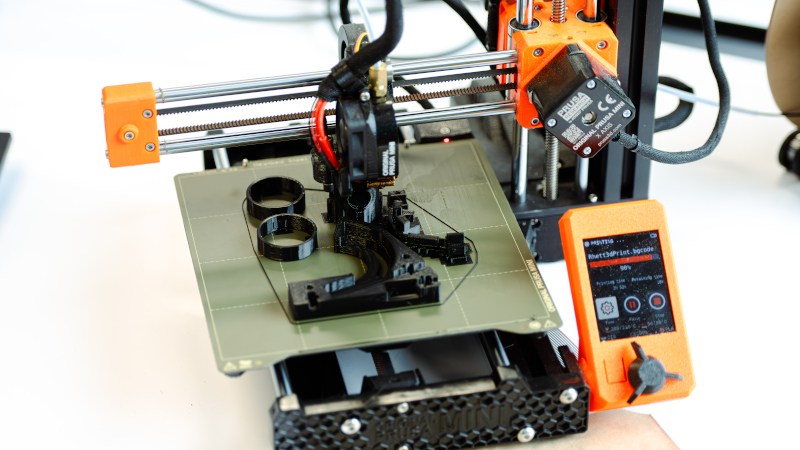
- Prusa Connect Local อยู่ในสถานะ Public Beta
- รันเป็น Local Server บน Linux, Windows, macOS และ Raspberry Pi
- Printer, Account, History และ Print Files สามารถอยู่บน Server ของผู้ใช้เอง
- ใช้งาน Print, Pause, Resume และ Stop ผ่าน Browser ได้
- รองรับ REST API, MQTT, Webhooks และ Live Events
- รองรับ Extension และ Printer Driver เพิ่มเติม
- มี Example Driver สำหรับ Klipper ผ่าน Moonraker
- Release ปัจจุบันที่ตรวจสอบคือ v0.1.0-beta.1
Prusa Connect Local คืออะไร?
Prusa Connect Local เป็น Printer Server ที่ผู้ใช้ Download แล้วรันบน Hardware ของตัวเอง โดย Web Application ถูก Package มากับ Server Binary จึงสามารถเปิด Browser เพื่อบริหาร Printer จากเครื่องอื่นใน Network ได้
แนวคิดหลักคือย้าย Control Plane, Accounts, Print History และ Files กลับมาอยู่บน Infrastructure ของผู้ใช้ แทนการบังคับส่งข้อมูลผ่าน Cloud ของ Vendor
Local-first ต่างจาก Prusa Connect แบบ Cloud อย่างไร?
Connect Local ให้ Printer เชื่อมตรงมายัง Server ที่ผู้ใช้เป็นคนรัน และไม่จำเป็นต้องมี Prusa Account สำหรับ Local Accounts
Official Page ระบุว่า Printer สามารถทำงานกับ Server โดยไม่ต้องมี Internet Connection แต่ Server อาจเชื่อม Internet เพื่อตรวจ Marketplace และ Software Update
หากต้องการระบบที่แยกออกจาก Internet มากขึ้น Repository ระบุว่าสามารถปิด Marketplace และ Upgrade Check ผ่าน Configuration ได้
ใช้ Hardware อะไรรัน Prusa Connect Local?
Official Prusa ระบุว่าสามารถรันได้ตั้งแต่ Raspberry Pi ไปจนถึง NAS, PC และ Server
| Hardware | แนวทางจาก Official Source |
|---|---|
| Raspberry Pi Zero | Official ระบุว่าเพียงพอสำหรับประมาณหนึ่ง Printer |
| Raspberry Pi 4 / 5 | เหมาะกับ Small Workshop |
| PC / Laptop / NAS | สามารถใช้เป็น Local Server ได้ |
| Server / Docker / Kubernetes | รองรับ Deployment สำหรับระบบที่ใหญ่ขึ้น |
Prusa ระบุว่ามีการ Load Test กับ 400 Simulated Printers บน Server เดียว แต่ตัวเลขนี้ไม่ควรตีความว่า Hardware ทุกชุด จะรองรับ Printer 400 เครื่องด้วย Performance เท่ากัน
ดู Printer หลายเครื่องพร้อมกันใน Fleet Dashboard
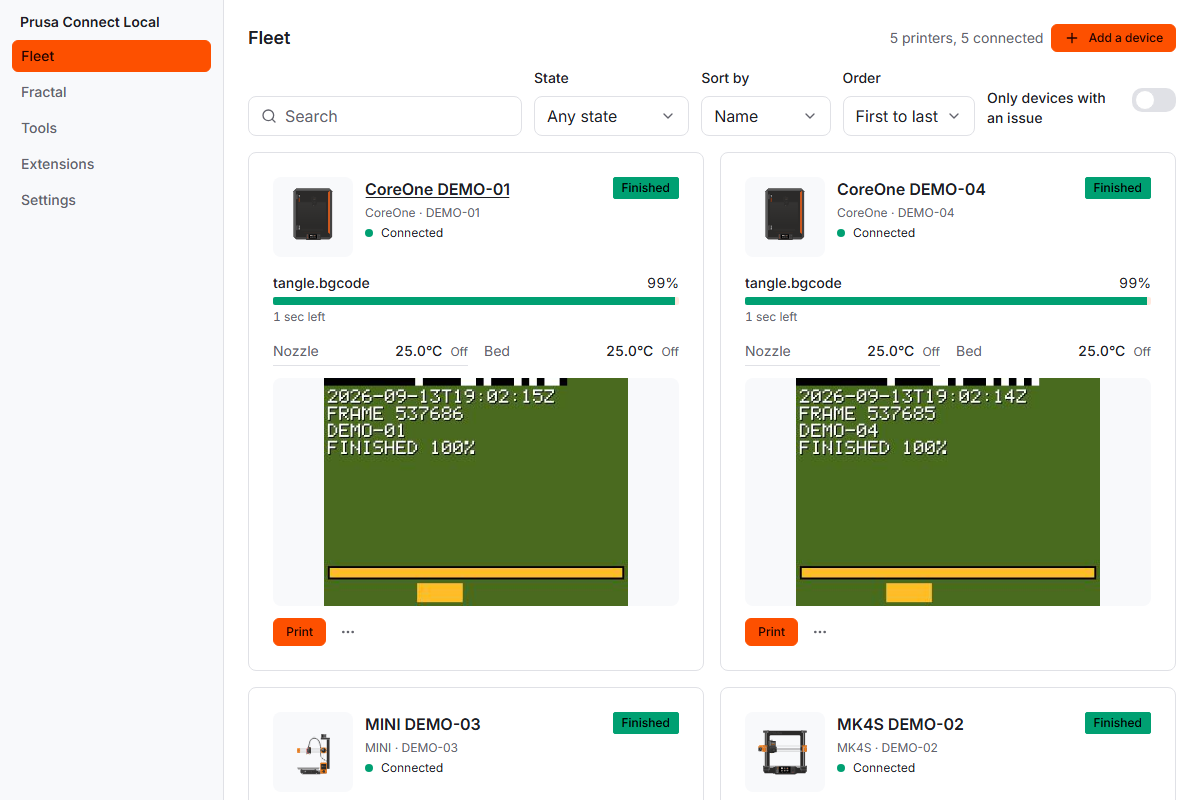
Dashboard รวม Printer ที่เชื่อมอยู่กับ Server ให้ดูได้จากหน้าจอเดียว เหมาะกับ Workshop หรือ Print Farm ที่ไม่ต้องการเดินดูแต่ละเครื่องแยกกัน
เปิดดูรายละเอียดของ Printer แต่ละเครื่อง
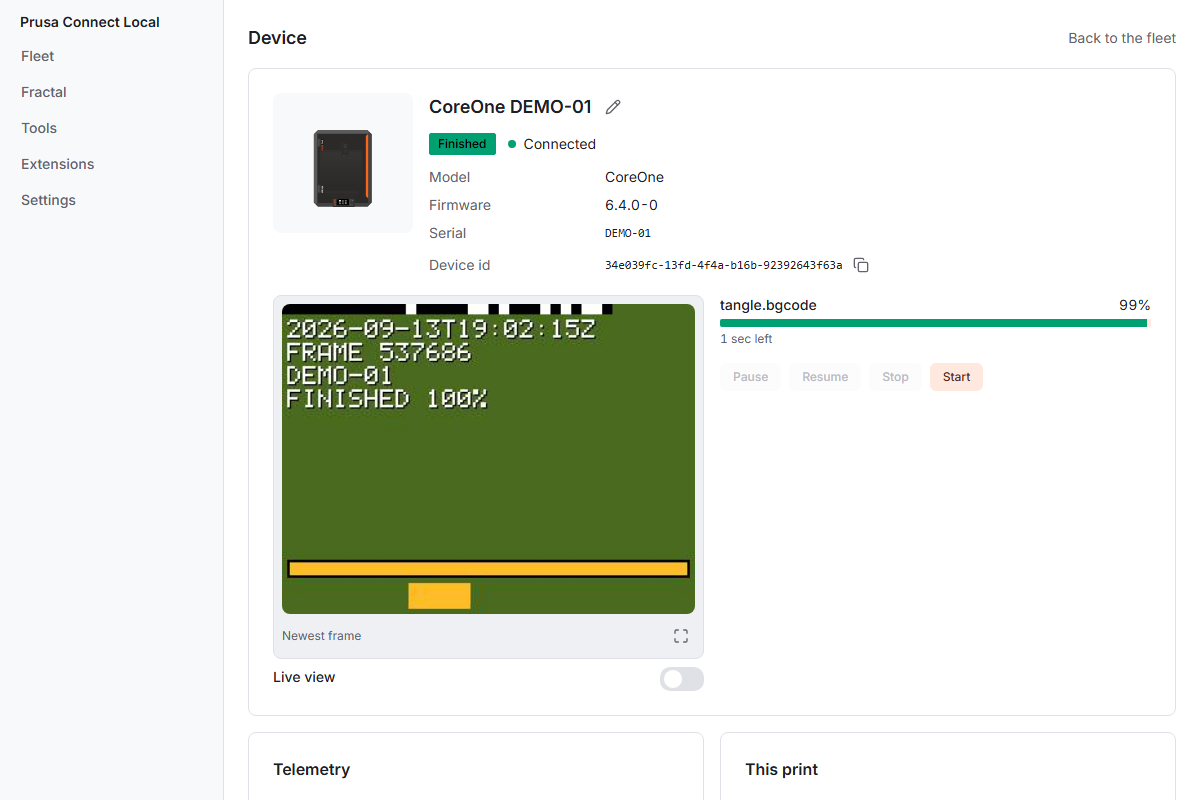
จาก Fleet View ผู้ใช้สามารถเปิด Printer เพื่อดูข้อมูลและควบคุมงานที่สิทธิ์ของ Account อนุญาต
ส่งไฟล์และจัดการ Print Job ผ่าน Browser
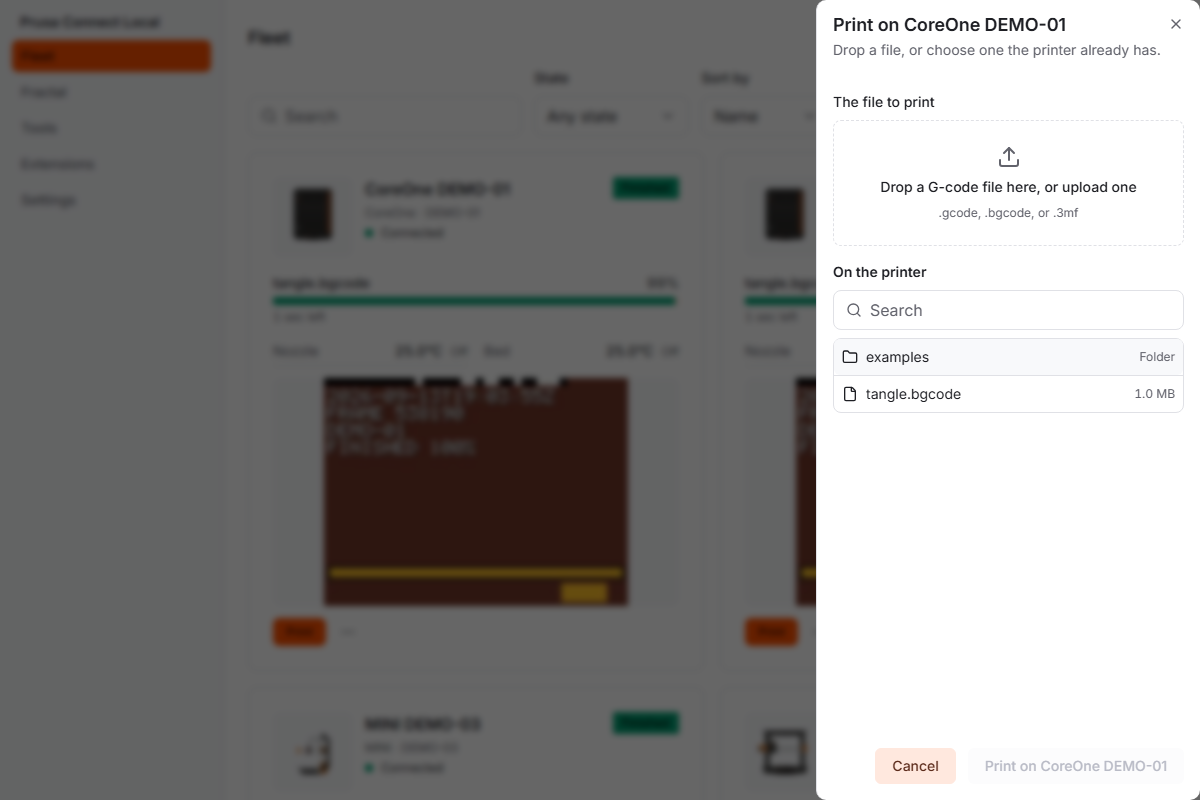
Connect Local สามารถรับ G-code แล้วส่งไปยัง Printer รวมถึง Start, Pause, Resume หรือ Stop ตาม Capability และ Permission ที่เกี่ยวข้อง
Print Job ยังถูกบันทึกเป็น History พร้อม File, Printing Time และ Result ตามระบบที่ Official Page อธิบายไว้
เริ่มใช้งาน Prusa Connect Local อย่างไร?
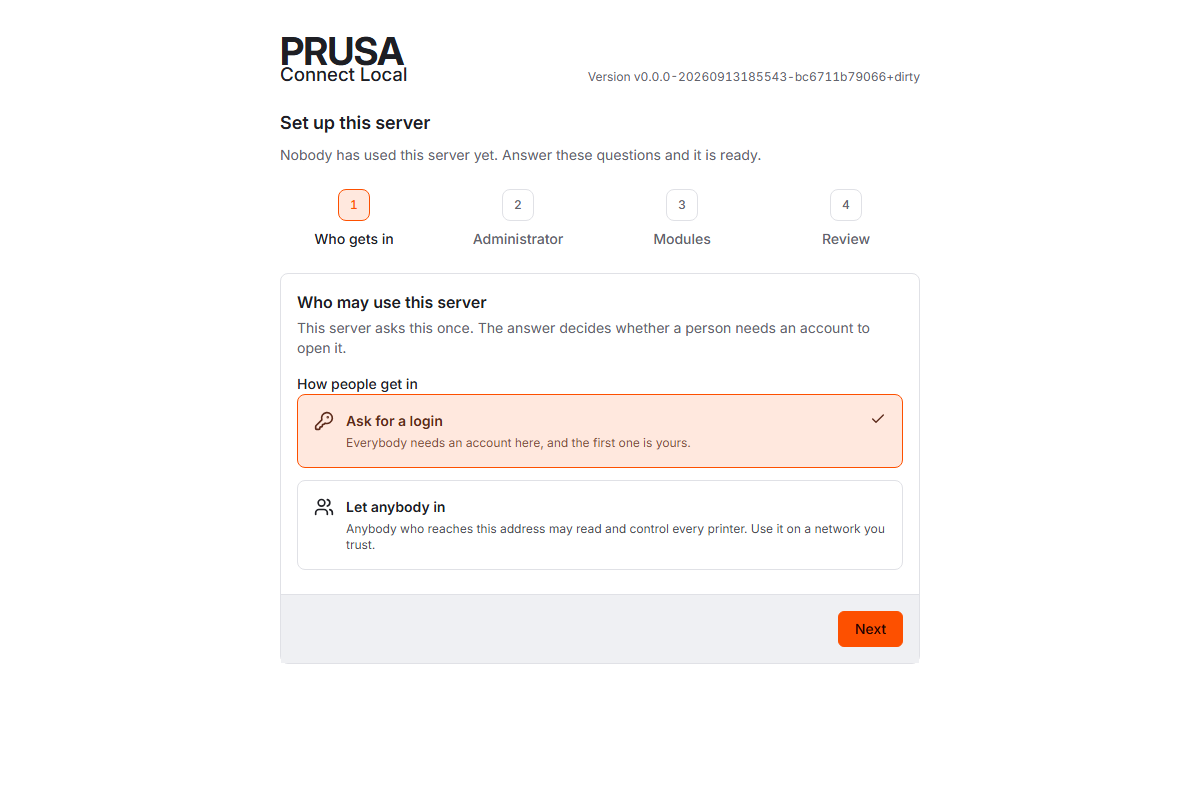
Workflow หลักมี 3 ช่วง:
- Download Binary ที่ตรงกับเครื่อง Server
- Run แล้วเปิด Browser ไปยัง Server ที่ Port 8080
- Add Printer ผ่าน Settings File และ USB Drive
หน้า Add a printer จะสร้าง Settings File ที่มี Address ของ Server ผู้ใช้นำไฟล์ไปใส่ USB Drive แล้ว Load จากเมนู Network → Prusa Connect บน Printer
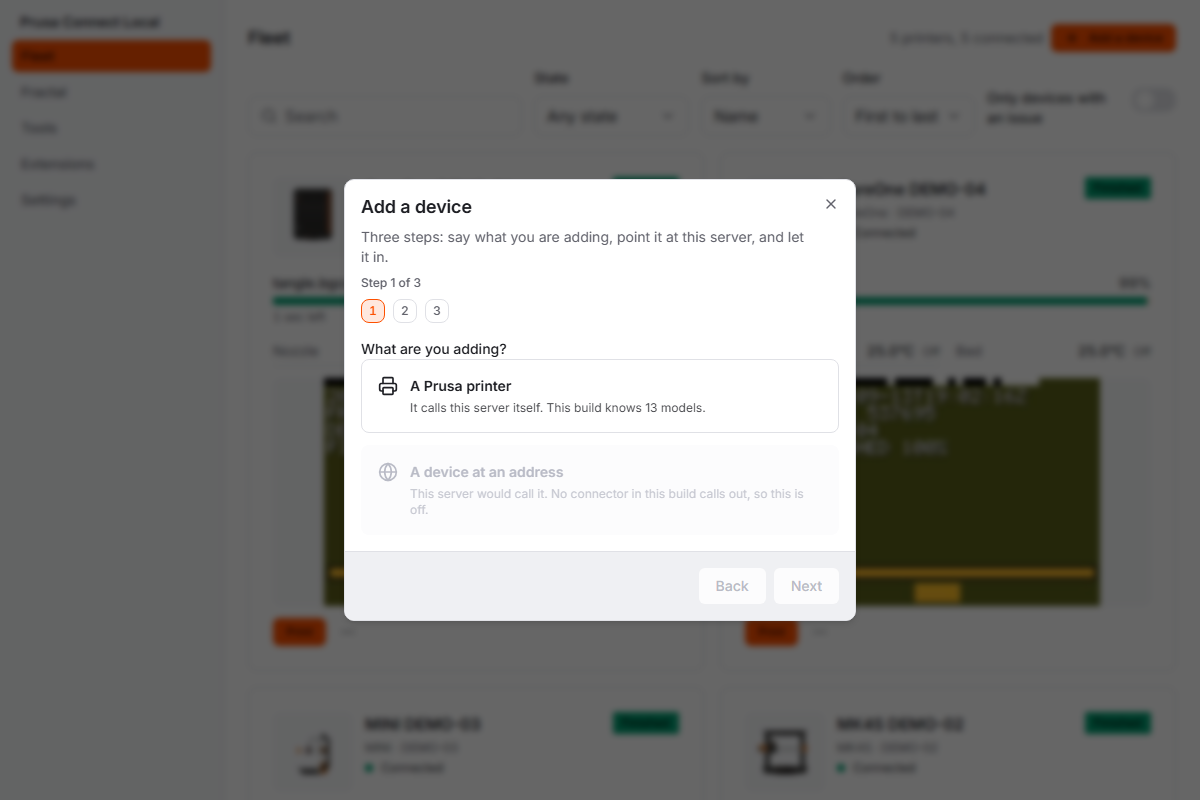
Printer จะแสดง Code จากนั้นผู้ใช้ตรวจสอบ Code บน Web UI และกด Approve เพื่อให้ Printer รับ Token
Account และ Settings อยู่บน Local Server
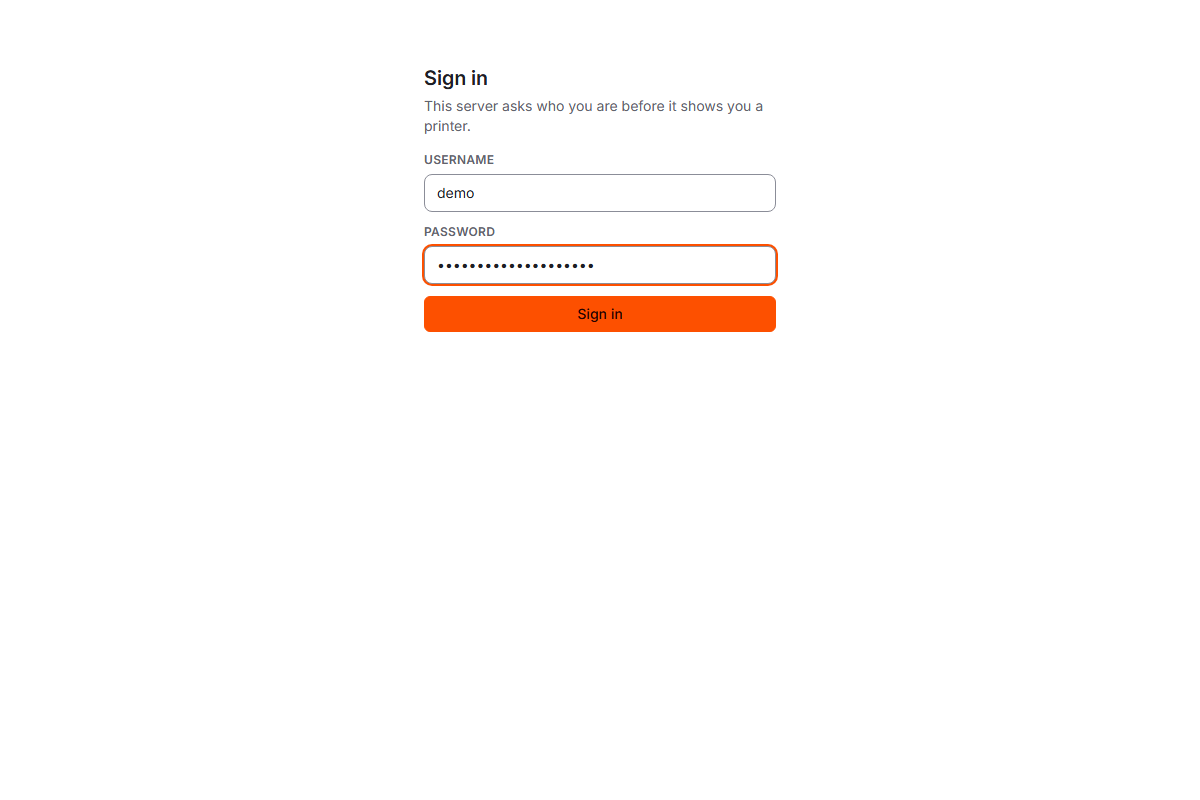
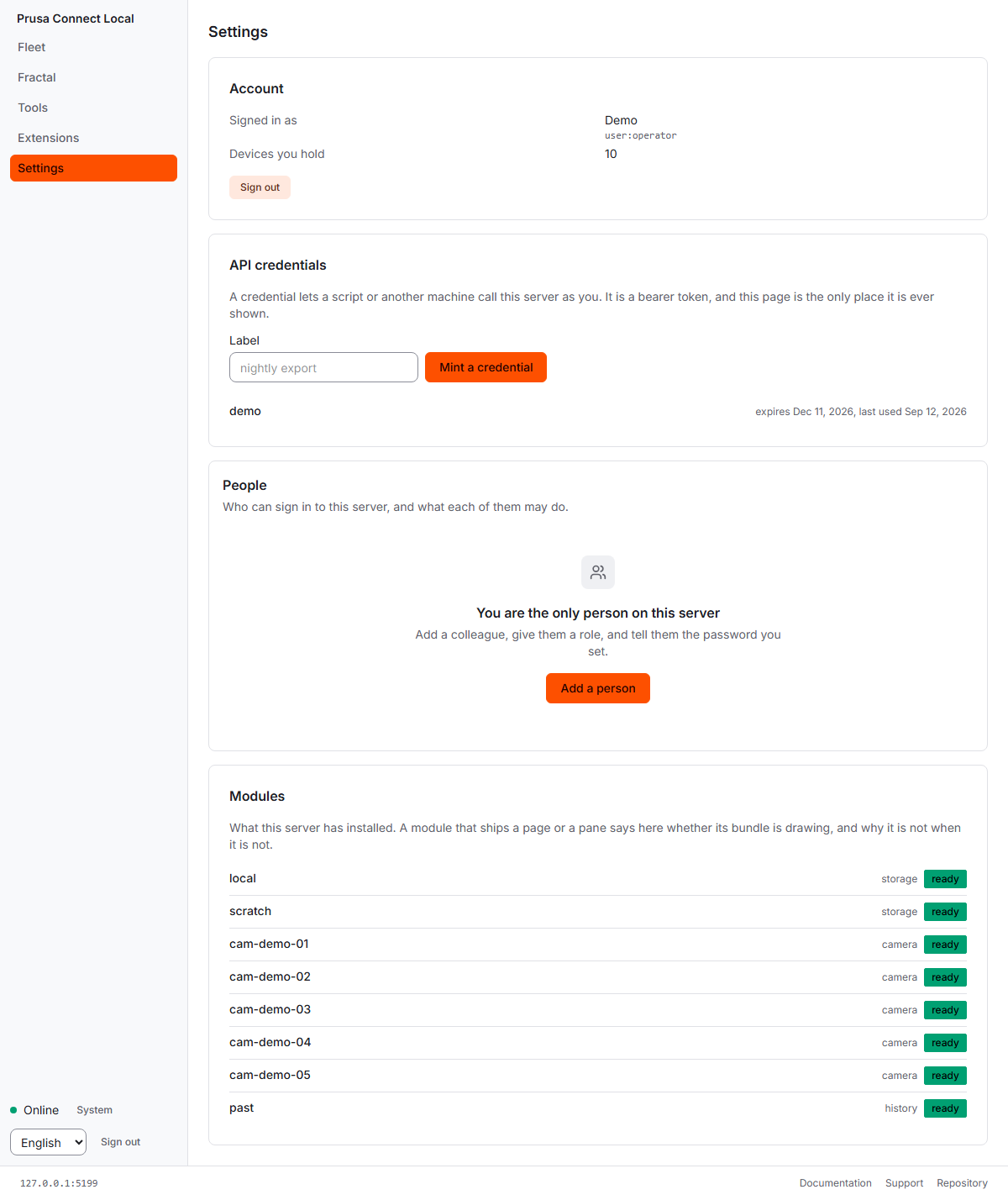
ผู้ใช้สามารถมี Local Account หรือใช้ Identity Provider ขององค์กรได้ และกำหนด Permission ให้ผู้ใช้หรือ Group เข้าถึง Printer และ Action ที่แตกต่างกัน
Prusa Connect Local รองรับ Printer รุ่นไหน?
Official Page ระบุว่า Prusa Printer ต้องใช้ Firmware 6.4.0 หรือใหม่กว่า
| Family | Models ที่ระบุใน Source |
|---|---|
| CORE One | CORE One, CORE One L และ INDX variants |
| MK4 | MK4, MK4S |
| MK3.9 / MK3.5 | MK3.9, MK3.9S, MK3.5, MK3.5S |
| XL | XL |
| MINI | MINI, MINI+ |
แล้ว Printer ที่ไม่ใช่ Prusa ใช้ได้หรือไม่?
Architecture ของ Connect Local แยก Printer Integration ออกเป็น Driver และมี SDK Contract สำหรับพัฒนา Driver เพิ่มเติม
Official Repository มี Example Adapter สำหรับ Printer ที่ใช้ Klipper/Moonraker เพื่อแสดงวิธีเชื่อม Non-Prusa Printer เข้ากับ Server
Extensions เพิ่มความสามารถให้ Local Server
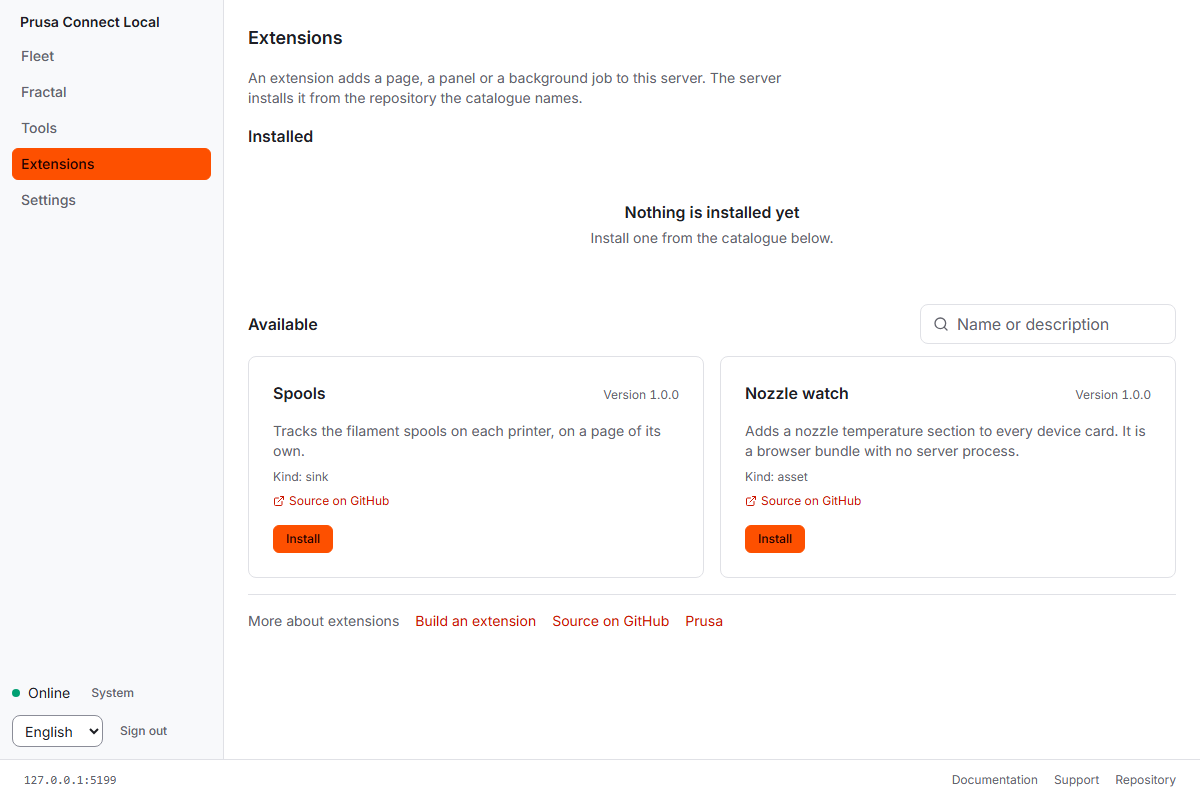
Official Page ยกตัวอย่าง Extension เช่น:
- Fleet Statistics
- Materials
- Server Slicing
- Home Assistant
Core Application จึงสามารถคงขนาดเล็ก แล้วเพิ่ม Feature ตามความต้องการ ผ่าน Module หรือ Extension
REST API, MQTT, Webhooks และ Live Events
Connect Local เปิด Interface สำหรับเชื่อมกับ Tool หรือ Automation ของผู้ใช้เอง ผ่าน REST API, Live Events, MQTT และ Webhooks
Running Server ยังมี API Reference ที่ /docs และ OpenAPI Document ที่ /openapi.json ตาม README ของ Project
รันด้วย Docker หรือทดลองโดยไม่มี Printer จริงได้
Official README มี Docker Compose Workflow สำหรับ Deploy Server และยังมี Demo Mode ที่สร้าง Simulated Printer Fleet เพื่อทดลอง UI และ API โดยไม่ต้องมี Hardware
docker compose -f docker-compose.local.yml up -d prusa-connectmake demoDownload Prusa Connect Local v0.1.0-beta.1
Release ที่ตรวจสอบล่าสุดใน Public Repository คือ v0.1.0-beta.1 เผยแพร่วันที่ 17 พฤศจิกายน 2026
Windows
macOS
Linux / Raspberry Pi
Minimal Linux Builds
Official Install Guide ระบุว่า Minimal Builds มีขนาดเล็กกว่าและไม่มี Web App จึงไม่เหมาะเป็นตัวเลือกแรกสำหรับผู้เริ่มต้น
Configuration / Linux Service / Source
Verify Download
License ไม่ใช่ MIT หรือ GPL แบบทั่วไป
Prusa Connect Local ใช้ OCL v1.1 + Micro v1 + NoSaaS v1 + SWAtt v1 หรือ Open Community License พร้อม Add-on Conditions
Official Repository สรุปเงื่อนไขสำคัญไว้ เช่น:
- Non-commercial End User สามารถใช้ Copy และ Modify ได้ตามเงื่อนไข License
- Derivative ที่แจกจ่ายต้องรักษา License / Attribution ตามข้อกำหนด
- Business สามารถใช้ภายในองค์กรได้ภายใต้เงื่อนไข Micro Business
- Annual Gross Revenue Threshold คือ €1,000,000 รวม Affiliates
- NoSaaS จำกัดการนำ Software ไปให้บริการแก่ Third Party
- Use Case ที่อยู่นอกเงื่อนไขต้องขอ Separate Business License
Local-first ช่วยเรื่อง Data Control แต่ยังต้องดูแล Security
Connect Local เก็บข้อมูลสำคัญไว้ใน Server ของผู้ใช้เอง ซึ่งเพิ่ม Control แต่ก็หมายความว่า ผู้ดูแลต้องรับผิดชอบ Network, Backup, Account Permission และ Server Security เองด้วย
มี Official Video ของ Prusa Connect Local หรือไม่?
จาก Hackaday Article, Official Connect Local Page และ Current GitHub Repository ที่ตรวจสอบ ไม่พบ Dedicated Official YouTube Video, MP4, WebM หรือ MOV ที่ใช้สาธิต Connect Local โดยตรง
ดังนั้นบทความนี้ไม่สร้าง Video Embed หรือ Video URL ที่ Source ไม่ได้ให้ไว้
Prusa Connect Local ราคาเท่าไร?
Official Page ระบุว่าใช้งานได้ฟรี สำหรับ Personal Use และ Small Business ภายใต้เงื่อนไขของ Open Community License
สำหรับ Business Use ที่อยู่นอกขอบเขต License เช่น รายได้เกิน Threshold, Hosting ให้ Third Party หรือ Use Case ที่ต้องใช้ Separate Business License ต้องติดต่อ Prusa
จึงไม่มีราคาเงินตราต่างประเทศที่สามารถนำมาแปลงเป็นเงินบาทได้อย่างถูกต้อง
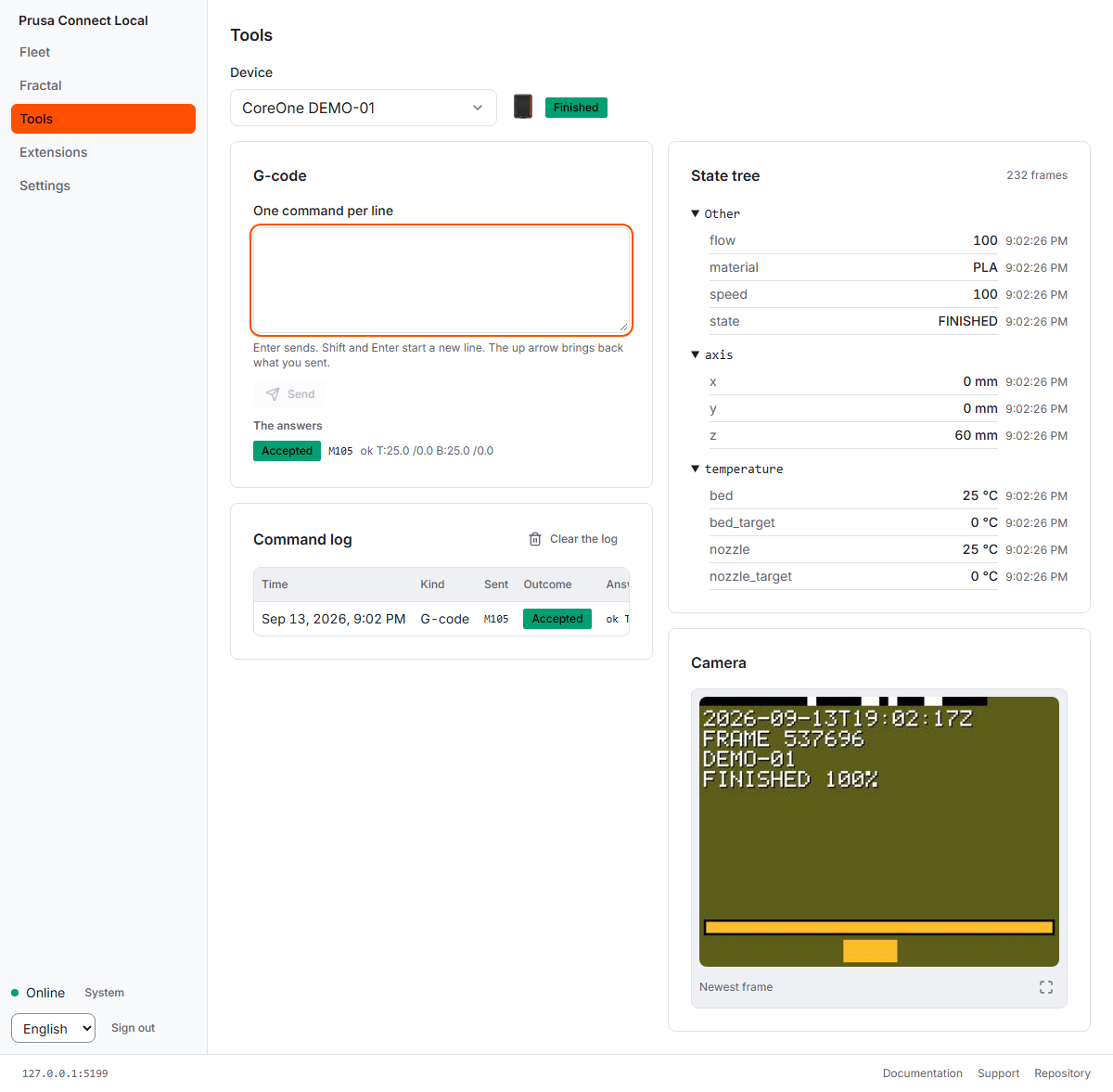
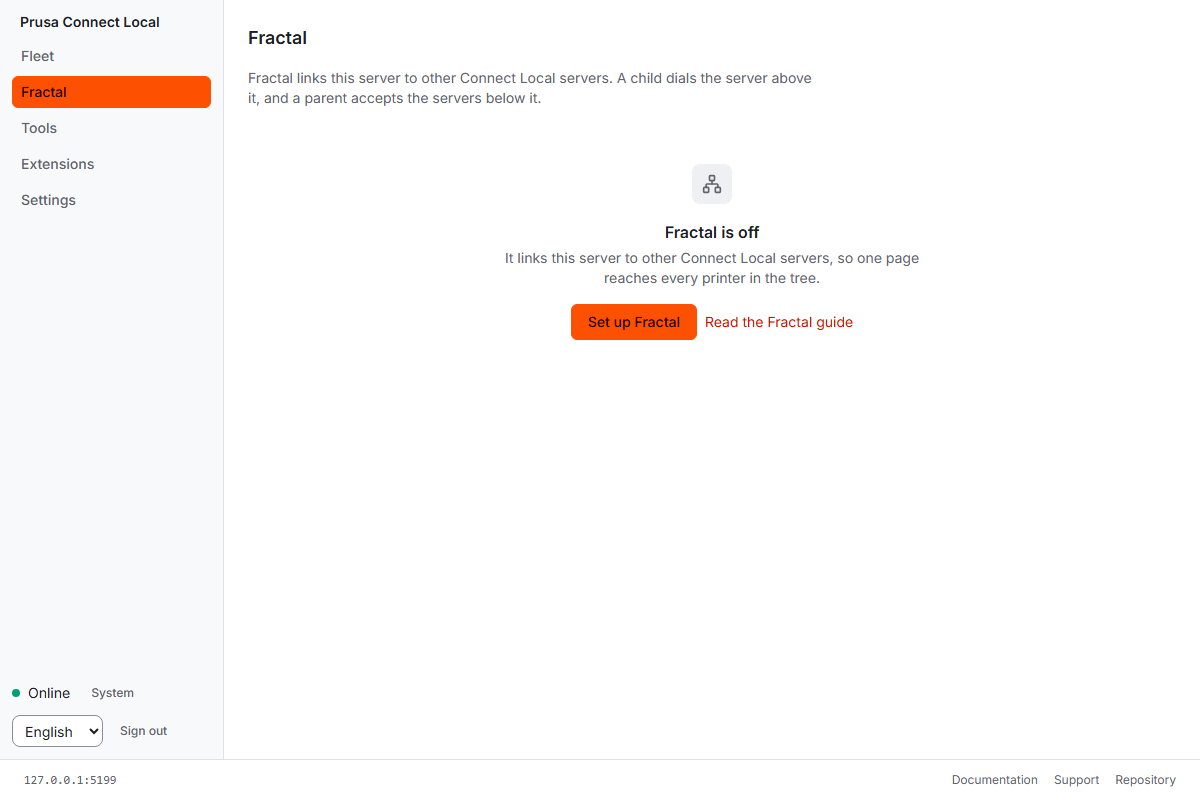
Official UI Screenshot เพิ่มเติม
Repository มี Media Assets หลายสิบไฟล์ แต่ส่วนใหญ่เป็น Logo, Icon และ Printer Illustration ส่วนด้านล่างคือ Operational Screenshot ที่เกี่ยวข้องกับตัวระบบโดยตรง
FAQ คำถามที่พบบ่อย
Prusa Connect Local คืออะไร?
เป็น Self-hosted Printer Server สำหรับจัดการ 3D Printer ผ่าน Browser โดยรัน Server บน Hardware ของผู้ใช้เอง
ต้องใช้ Prusa Cloud หรือไม่?
ไม่จำเป็นสำหรับการทำงาน Local ปกติ Printer สามารถเชื่อมกับ Server ใน Network ของผู้ใช้เอง
จำเป็นต้องมี Internet หรือไม่?
ไม่จำเป็นสำหรับการจัดการ Printer ภายใน Local Network แต่ Marketplace และ Update Check สามารถเชื่อม Internet และสามารถ Disable ได้
ต้องมี Prusa Account หรือไม่?
ไม่จำเป็น สามารถใช้ Local Accounts หรือ Identity Provider ขององค์กรได้
รันบน Raspberry Pi ได้หรือไม่?
ได้ Official Release มี Build สำหรับ AArch64, ARMv7 และ ARMHF
Raspberry Pi Zero ใช้ได้หรือไม่?
ได้ Official Prusa ระบุว่า Pi Zero เพียงพอสำหรับประมาณหนึ่ง Printer
Raspberry Pi 4 หรือ Pi 5 เหมาะกับอะไร?
Official Page ระบุว่าเหมาะกับ Small Workshop
รองรับ Printer กี่เครื่อง?
Prusa ระบุว่ามีการ Test ระบบด้วย 400 Simulated Printers บน Server เดียว แต่ Source ไม่ได้กำหนดว่าทุก Hardware จะรองรับ 400 เครื่อง ด้วย Performance เท่ากัน
รองรับ Printer ที่ไม่ใช่ Prusa หรือไม่?
Architecture รองรับ Driver เพิ่มเติม และมี Moonraker Example Driver สำหรับ Klipper แต่ Printer รุ่นอื่นต้องมี Driver ที่เข้ากันได้ก่อน
Prusa Printer ต้องใช้ Firmware รุ่นไหน?
Official Page ระบุ Firmware 6.4.0 หรือใหม่กว่า สำหรับ Printer ที่รองรับ Connect Local
ใช้ Docker ได้หรือไม่?
ได้ Official Repository มี Docker Compose Workflow และ Container Deployment Documentation
มี REST API หรือไม่?
มี พร้อม Live Events, MQTT และ Webhooks สำหรับ Integration และ Automation
มี Home Assistant หรือไม่?
Official Page ยก Home Assistant เป็นหนึ่งใน Extension Examples
เป็น Open Source แบบ MIT หรือ GPL หรือไม่?
ไม่ใช่ ใช้ OCL v1.1 พร้อม Micro, NoSaaS และ Software Attribution Add-ons
ใช้ฟรีหรือไม่?
Official ระบุใช้ฟรีสำหรับ Personal Use และ Small Business ตามเงื่อนไข License
Business License ราคาเท่าไร?
Source ไม่ได้ระบุราคา ต้องติดต่อ Prusa สำหรับ Use Case ที่ต้องใช้ Separate Business License
มี Windows Version หรือไม่?
มีทั้ง Windows AMD64 และ Windows ARM64
มี macOS Apple Silicon หรือไม่?
มี Build สำหรับ Apple Silicon และ Intel Mac
มี Official Video หรือไม่?
จาก Sources ที่ตรวจสอบไม่พบ Dedicated Official Video สำหรับ Connect Local โดยตรง
โปรเจกต์นี้มีหลายส่วน แนะนำอ่านต้นฉบับควบคู่กัน
References / แหล่งข้อมูลต้นฉบับ
- Hackaday - Local Prusa Connect Cuts Out The Cloud
- Prusa Connect Local Official Page
- Prusa Connect Local Get Started
- Prusa Connect Official GitHub Repository
- Prusa Connect Local v0.1.0-beta.1 Release
- Install from a Release Documentation
- Writing a Printer Driver Documentation
- Prusa Connect Open Community License
- Open Community Licence Project
- Hackaday Header Image Source - US Embassy New Zealand, Public Domain
อยากทำ Local Server สำหรับ 3D Printer ด้วย Raspberry Pi?
Prusa Connect Local เป็นตัวอย่างที่น่าสนใจของการใช้ Raspberry Pi หรือเครื่องขนาดเล็ก เป็น Server สำหรับจัดการ Printer ภายใน Network โดยให้ผู้ใช้งานควบคุม Data และ Infrastructure เอง
หากกำลังทำ Project ที่ต้องใช้ Raspberry Pi, Storage, Network Accessories หรือ Development Hardware สามารถสอบถามทีม Globalbyte เรื่องอุปกรณ์ที่เหมาะกับ Project ได้


