from tensorflow.keras import Sequential
from tensorflow.keras.models import load_model
import cv2
import numpy as np
from tensorflow.keras.preprocessing.image import img_to_array

# Load the model
model = Sequential()
classifier = load_model('ferjj.h5') # This model has a set of 6 classes

# We have 6 labels for the model
class_labels = {0: 'Angry', 1: 'Fear', 2: 'Happy', 3: 'Neutral', 4: 'Sad', 5: 'Surprise'}
classes = list(class_labels.values())

face_classifier = cv2.CascadeClassifier('./Haarcascades/haarcascade_frontalface_default.xml')

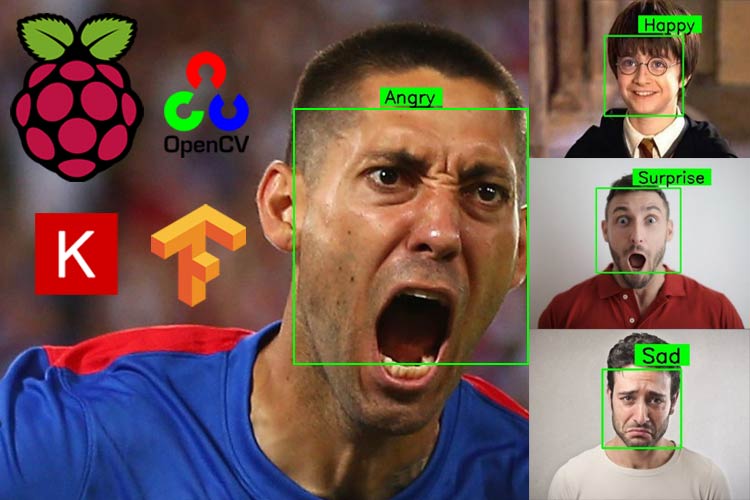
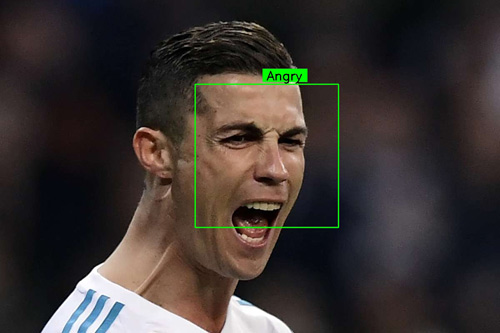
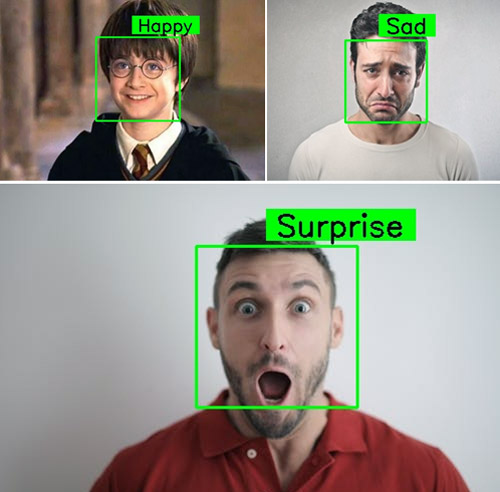
# This function is for designing the overlay text on the predicted image boxes.
def text_on_detected_boxes(text,text_x,text_y,image,font_scale = 1,
                           font = cv2.FONT_HERSHEY_SIMPLEX,
                           FONT_COLOR = (0, 0, 0),
                           FONT_THICKNESS = 2,
                           rectangle_bgr = (0, 255, 0)):
    # get the width and height of the text box
    (text_width, text_height) = cv2.getTextSize(text, font, fontScale=font_scale, thickness=2)[0]
    # Set the Coordinates of the boxes
    box_coords = ((text_x-10, text_y+4), (text_x + text_width+10, text_y - text_height-5))
    # Draw the detected boxes and labels
    cv2.rectangle(image, box_coords[0], box_coords[1], rectangle_bgr, cv2.FILLED)
    cv2.putText(image, text, (text_x, text_y), font, fontScale=font_scale, color=FONT_COLOR,thickness=FONT_THICKNESS)

# Detection of the emotions on an image:
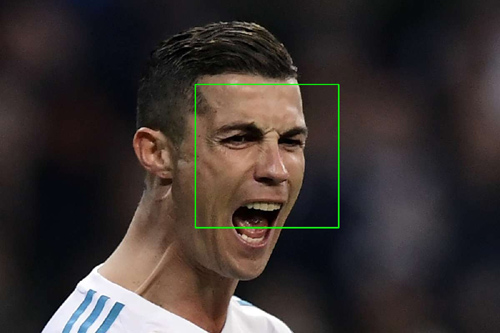
def face_detector_image(img):
    gray = cv2.cvtColor(img.copy(), cv2.COLOR_BGR2GRAY) # Convert the image into GrayScale image
    faces = face_classifier.detectMultiScale(gray, 1.3, 5)
    if faces is ():
        return (0, 0, 0, 0), np.zeros((48, 48), np.uint8), img
    allfaces = []
    rects = []
    for (x, y, w, h) in faces:
        cv2.rectangle(img, (x, y), (x + w, y + h), (0, 255, 0), 2)
        roi_gray = gray[y:y + h, x:x + w]
        roi_gray = cv2.resize(roi_gray, (48, 48), interpolation=cv2.INTER_AREA)
        allfaces.append(roi_gray)
        rects.append((x, w, y, h))
    return rects, allfaces, img

def emotionImage(imgPath):
    img = cv2.imread(imgPath)
    rects, faces, image = face_detector_image(img)
    i = 0
    for face in faces:
        roi = face.astype("float") / 255.0
        roi = img_to_array(roi)
        roi = np.expand_dims(roi, axis=0)
        # make a prediction on the ROI, then lookup the class
        preds = classifier.predict(roi)[0]
        label = class_labels[preds.argmax()]
        label_position = (rects[i][0] + int((rects[i][1] / 2)), abs(rects[i][2] - 10))
        i = + 1
        # Overlay our detected emotion on the picture
        text_on_detected_boxes(label, label_position[0],label_position[1], image)
    cv2.imshow("Emotion Detector", image)
    cv2.waitKey(0)
    cv2.destroyAllWindows()

# Detection of the expression on video stream
def face_detector_video(img):
    # Convert image to grayscale
    gray = cv2.cvtColor(img, cv2.COLOR_BGR2GRAY)
    faces = face_classifier.detectMultiScale(gray, 1.3, 5)
    if faces is ():
        return (0, 0, 0, 0), np.zeros((48, 48), np.uint8), img
    for (x, y, w, h) in faces:
        cv2.rectangle(img, (x, y), (x + w, y + h), (0, 255, 0), thickness=2)
        roi_gray = gray[y:y + h, x:x + w]
    roi_gray = cv2.resize(roi_gray, (48, 48), interpolation=cv2.INTER_AREA)
    return (x, w, y, h), roi_gray, img

def emotionVideo(cap):
    while True:
        ret, frame = cap.read()
        rect, face, image = face_detector_video(frame)
        if np.sum([face]) != 0.0:
            roi = face.astype("float") / 255.0
            roi = img_to_array(roi)
            roi = np.expand_dims(roi, axis=0)
            # make a prediction on the ROI, then lookup the class
            preds = classifier.predict(roi)[0]
            label = class_labels[preds.argmax()]
            label_position = (rect[0] + rect[1]//50, rect[2] + rect[3]//50)
            text_on_detected_boxes(label, label_position[0], label_position[1], image)
            fps = cap.get(cv2.CAP_PROP_FPS)
            cv2.putText(image, str(fps),(5, 40), cv2.FONT_HERSHEY_SIMPLEX, 1, (0, 255, 0), 2)
        else:
            cv2.putText(image, "No Face Found", (5, 40), cv2.FONT_HERSHEY_SIMPLEX, 1, (255, 0, 0), 2)
        cv2.imshow('All', image)
        if cv2.waitKey(1) & 0xFF == ord('q'):
            break
    cap.release()
    cv2.destroyAllWindows()

if __name__ == '__main__':
    camera = cv2.VideoCapture(0) # If you are using an USB Camera then Change use 1 instead of 0.
    emotionVideo(camera)
    # IMAGE_PATH = "provide the image path"
    # emotionImage(IMAGE_PATH) # If you are using this on an image please provide the path